
 ซอฟต์แวร์
 แอปพลิเคชันบนมือถือ
 เช็คความเร็วเน็ต (Speedtest)
 เช็คไอพี (Check IP)
 เช็คเลขพัสดุ
 สุ่มออนไลน์
 เครื่องมือคำนวณวันออนไลน์
FileFive (โปรแกรมจัดการไฟล์ สำรองข้อมูล รองรับ SFTP, FTP, และ S3)

ข้อมูลทั่วไป ก่อน ดาวน์โหลดโปรแกรม
 Windows
 macOS
macOS Linux / FreeBSD
โปรแกรม FileFive

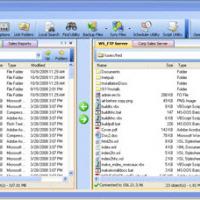
FileFive (โปรแกรมจัดการไฟล์ สำรองข้อมูล รองรับ SFTP, FTP, และ S3 แบบ 2 ฝั่ง ซ้าย-ขวา) : โปรแกรม FileFive เป็นโปรแกรมที่ทำหน้าที่เป็นตัวจัดการไฟล์ (File Manager) และโปรแกรมรับ-ส่งข้อมูลไฟล์ข้าม เซิร์ฟเวอร์ (Server) แบบสองช่องหน้าต่าง (Dual-Panel File Transfer) รองรับการทำงานบน ระบบปฏิบัติการ (OS) หลักทั้งหมด ไม่ว่าจะเป็น วินโดวส์ (Windows), แมคโอเอส (macOS) หรือ ลีนุกซ์ (Linux)
จุดเด่นของโปรแกรม FileFive คือ การออกแบบมาให้เป็นเครื่องมือทางเลือกทดแทนโปรแกรมรับส่งไฟล์ชื่อดัง เช่น WinSCP, FileZilla, Transmit, Cyberduck หรือการใช้ ส่วนติดต่อผู้ใช้แบบบรรทัดคำสั่ง (CLI) อย่าง rsync, rclone และ sshfs โดยโปรแกรมนี้ช่วยให้โปรแกรมเมอร์ และผู้ดูแลระบบสามารถรับส่งไฟล์, สำรองข้อมูล หรือจัดการ CI/CD ได้อย่างง่ายดายผ่าน ส่วนติดต่อผู้ใช้งานแบบกราฟิก (GUI) ที่ไม่จำเป็นต้องเขียนโค้ด
ในแง่การทำงาน และ โปรโตคอล (Protocol) ที่รองรับ FileFive สามารถเชื่อมต่อ กับระบบจัดเก็บข้อมูลภายนอกได้หลากหลายรูปแบบ ได้แก่ SFTP (SSH File Transfer Protocol), FTP และบริการ คลาวด์ (Cloud) อย่าง Amazon S3 ทำให้ผู้ใช้จัดการไฟล์บนเซิร์ฟเวอร์ หรือคลาวด์ได้อย่างรวดเร็ว
สถาปัตยกรรมของโปรแกรม FileFive ถูกพัฒนาขึ้นด้วย Node.js และ TypeScript โดยเมื่อติดตั้งผ่าน npm และสั่งรัน ตัวโปรแกรมจะเปิดหน้าต่างผู้ใช้ขึ้นมาบน เว็บเบราว์เซอร์ (Web Browser) เริ่มต้นของเครื่อง หน้าตาของโปรแกรมได้รับการออกแบบให้มีความทันสมัยและใช้งานง่าย โดยได้แรงบันดาลใจจากแถบ Explorer ของ VS Code รวมถึงรองรับธีมไอคอนไฟล์ของ Visual Studio Code ทั้งยังรองรับการเปลี่ยนธีมตามระบบ (Light/Dark Mode) หรือกำหนดธีมแยกตามการเชื่อมต่อได้ด้วย
สำหรับการใช้งาน และฟีเจอร์เด่น โปรแกรม FileFive มีระบบค้นหา และกรองไฟล์ที่รองรับทั้งการใช้ Wildcard, JavaScript Regular Expressions และการตรวจสอบสถานะ Git ของไฟล์ มีฟังก์ชัน Synchronized Browsing สำหรับท่องจำลองโฟลเดอร์สองฝั่งพร้อมกัน การอัปโหลด หรือดาวน์โหลดไฟล์จะช่วยรักษาโครงสร้างโฟลเดอร์ย่อยต้นทางให้โดยอัตโนมัติ นอกจากนี้ ยังรองรับการแก้ไขไฟล์ฝั่งเซิร์ฟเวอร์ได้โดยตรง, การลาก และวางไฟล์ (Drag & Drop), การเปิดไฟล์ด้วยแอปพลิเคชันหลักของเครื่องหรือ Visual Studio Code, การเปิดหลายเซิร์ฟเวอร์พร้อมกันผ่านแท็บของเบราว์เซอร์ และการเก็บข้อมูลการตั้งค่ารวมถึงประวัติการเชื่อมต่อในรูปแบบไฟล์ธรรมดาลงในโฟลเดอร์ผู้ใช้ ทำให้สามารถสำรองข้อมูล หรือนำเข้าโปรเจกต์ผ่าน Git ได้สะดวก
คุณสมบัติ และความสามารถของ โปรแกรม FileFive
- ใช้งานได้บน Windows, macOS, Linux และระบบปฏิบัติการตระกูล *nix ทุกประเภทที่ติดตั้ง Node.js
- สามารถอัปโหลด, ดาวน์โหลด และจัดการไฟล์ บนเซิร์ฟเวอร์คลาวด์ผ่านโปรโตคอล และบริการต่าง ๆ ทั้ง SFTP, FTP และ Amazon S3
- ใช้งานง่าย และเน้นความเรียบง่าย ออกแบบให้มีรูปลักษณ์ และความรู้สึกคล้ายคลึงกับมุมมอง Explorer ใน VS Code รวมถึงรองรับธีมไอคอนไฟล์ของ VS Code
- รองรับการค้นหา/กรองไฟล์ด้วย Wildcard, JavaScript Regular Expressions และสถานะ Git
- เปิดดูโฟลเดอร์ต้นทาง และปลายทางพร้อมกันในตำแหน่งเดียวกัน
- อัปโหลด ดาวน์โหลด หรือคัดลอกไฟล์ และโฟลเดอร์โดยยังคงรักษาโครงสร้างพาธเดิมไว้ เช่นเดียวกับคำสั่ง cp --parents, rsync -R หรือ ditto ของ macOS โดยระบบจะสร้างโฟลเดอร์หลัก (Parent directories) ที่จำเป็นในฝั่งปลายทางให้อัตโนมัติ เพื่อรองรับการซิงโครไนซ์ไฟล์ในโฟลเดอร์ย่อยได้ภายในคลิกเดียว
- แก้ไขไฟล์บนเซิร์ฟเวอร์ได้โดยตรง
- เชื่อมต่อ และทำงานร่วมกับโปรแกรม Git ที่ติดตั้งภายในเครื่อง
- ข้อมูลการเชื่อมต่อ และเซิร์ฟเวอร์จะถูกจัดเก็บในรูปแบบไฟล์ธรรมดา บนระบบไฟล์ของเครื่อง จึงไม่จำเป็นต้องทำรายการนำเข้า หรือส่งออก
- สามารถคัดลอก และสำรองข้อมูลการเชื่อมต่อรวมถึงการตั้งค่าต่าง ๆ ในโฟลเดอร์ ~/.f5 ได้อย่างสะดวก เช่น การนำไปจัดเก็บไว้ใน Git Repository
- รองรับการ ลากและวาง (Drag & Drop) และ คัดลอกและวาง (Copy & Paste) ช่วยให้การจัดการไฟล์มีความสะดวก และรวดเร็ว
- รองรับการเปิดแท็บเพื่อเข้าถึงหลายเซิร์ฟเวอร์ หรือถ่ายโอนไฟล์พร้อมกันได้ในเวลาเดียวกัน
- ใช้ระบบจัดการรหัสผ่านของเบราว์เซอร์ในการจัดเก็บรหัสผ่านได้อย่างปลอดภัย
- รองรับการเปิดไฟล์และโฟลเดอร์ด้วยแอปพลิเคชันเริ่มต้นของระบบ หรือเปิดผ่าน Visual Studio Code
- รองรับการปรับแต่งตามค่าเริ่มต้นของระบบ, โหมดสว่าง (Light), โหมดมืด (Dark) รวมถึงการกำหนดสีธีมที่แตกต่างกันในแต่ละการเชื่อมต่อ และรองรับธีมไอคอนไฟล์ และโฟลเดอร์ยอดนิยมจาก VS Code
- ระบบค้นหาขณะพิมพ์ ค้นหาไฟล์ได้ทันทีเมื่อเริ่มพิมพ์ข้อความ
- และความสามารถอื่น ๆ อีกมากมาย
เงื่อนไขการใช้งาน โปรแกรม FileFive
โปรแกรม FileFive เป็นซอฟต์แวร์ ฟรี (Free) ที่พัฒนาแบบ โอเพ่นซอร์ส (Open-Source) ที่อยู่ภายใต้เงื่อนไขการใช้งานแบบ GPL-3.0 License ซึ่งหมายความว่าผู้ใช้สามารถใช้งาน, ดัดแปลง, แจกจ่าย และเข้าถึง โค้ดต้นฉบับ (Source Code) ได้อย่างเสรี ภายใต้เงื่อนไขที่กำหนด
หากต้องการค้นหาข้อมูลเพิ่มเติม สามารถติดต่อกับทางผู้พัฒนาโปรแกรมนี้ได้ผ่านทางช่องทางเว็บไซต์ (Website) : https://github.com/miroshnikov/filefive (ภาษาอังกฤษ) ได้เลย
คำบรรยายภาษาอังกฤษ (English Descriptions)
FileFive is a dual-panel file manager and transfer tool designed to move data across servers. It supports all major operating systems, including Windows, macOS, and Linux.
The key highlight of FileFive is its position as an alternative to well-known file transfer programs such as WinSCP, FileZilla, Transmit, and Cyberduck, as well as command-line interface (CLI) tools like rsync, rclone, and sshfs. It enables programmers and system administrators to transfer files, manage backups, or handle CI/CD tasks seamlessly through a graphical user interface (GUI) without writing code.
In terms of operation and supported protocols, FileFive connects to a wide variety of external storage systems, including SFTP (SSH File Transfer Protocol), FTP, and cloud services like Amazon S3. This allows users to manage files on servers or in the cloud quickly.
Built on Node.js and TypeScript, FileFive opens user interface directly in the system's default web browser once installed via npm and launched. The interface is modern and intuitive, inspired by the VS Code Explorer sidebar. It supports Visual Studio Code file icon themes, system-based Light and Dark modes, and customizable themes for specific connections.
For functionality and key features, FileFive provides search and filter systems that support wildcards, JavaScript regular expressions, and Git status checks. It offers a Synchronized Browsing feature to navigate mirrored folder structures on both panels simultaneously. Uploads and downloads preserve source folder structures automatically. Additionally, it supports direct remote file editing, drag-and-drop operations, opening files via local applications or Visual Studio Code, running multiple server sessions using browser tabs, and storing configurations and connection history in plain text format within the user folder for easy backup or project import via Git.
 คำสำคัญ

โปรแกรมที่เกี่ยวข้อง !







ความคิดเห็น ()


ซอฟต์แวร์ไทย
Thai Software
ซอฟต์แวร์ฟรี
Freeware
ซอฟต์แวร์สามัญ
First AID
ซอฟต์แวร์แนะนำ
Recommended
สูงสุดในสัปดาห์
Top Download
สูงสุดตลอดกาล
Hall of Fame
Submit Software
บริการเช็คความเร็วเน็ต (Speedtest) และ เช็คไอพี (Check IP)
 เช็คความเร็วเน็ต
 เช็คไอพี


Thaiware.com is owned and operated by Thaiware Communication Co., Ltd.