
 ซอฟต์แวร์
 แอปพลิเคชันบนมือถือ
 เช็คความเร็วเน็ต (Speedtest)
 เช็คไอพี (Check IP)
 เช็คเลขพัสดุ
 สุ่มออนไลน์
 เครื่องมือคำนวณวันออนไลน์
Bootice (โปรแกรมจัดการพาร์ทิชัน และไฟล์บูต Windows)

ข้อมูลทั่วไป ก่อน ดาวน์โหลดโปรแกรม
 Windows
โปรแกรม Bootice

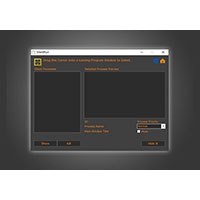
Bootice (โปรแกรมจัดการพาร์ทิชันและไฟล์บูต Windows) : โปรแกรม Bootice เป็นโปรแกรมยูทิลิตี้ขนาดเล็ก สำหรับ ระบบปฏิบัติการ (OS) วินโดวส์ (Windows) ที่ออกแบบมาเพื่อให้ผู้ใช้จัดการโครงสร้างดิสก์, ไฟล์ระบบ,การบูต และ พาร์ทิชัน (Partition) ได้อย่างละเอียดลึกถึงระดับฮาร์ดแวร์ จุดเด่นสำคัญของโปรแกรมนี้คือความสามารถในการปรับแต่ง แก้ไข และจัดการ MBR (Master Boot Record) รวมถึง PBR (Partition Boot Record) ของไดรฟ์หลัก และอุปกรณ์จัดเก็บข้อมูลแบบพกพา เช่น แฟลชไดร์ฟ (Flash Drive), เมมโมรี่การ์ด หรือ ฮาร์ดดิสก์ (HDD) พกพา
ความสามารถหลักของโปรแกรม Bootice ครอบคลุมการจัดการระบบบูตหลายรูปแบบ ทั้งการติดตั้ง หรือแก้ไข Master Boot Record (MBR) และ Partition Boot Record (PBR) ให้รองรับระบบการตั้งค่าต่าง ๆ เช่น Grub4Dos, Wee, SYSLINUX, PLoP Boot Manager หรือ Windows NT Boot Sector รวมถึงการแก้ไขไฟล์ BCD (Boot Configuration Data) ซึ่งใช้ในการควบคุมเมนู และตัวเลือกระบบการทำงานของ Windows Vista, 7, 8, 10 และ 11 นอกจากนี้ยังรองรับการทำงานกับระบบบูตแบบ UEFI และไฟล์อิมเมจเสมือน เช่น Virtual Hard Drive (VHD), VHDX หรือ IMG
ในด้านการจัดการพาร์ทิชัน โปรแกรม Bootice มีความสามารถในการแบ่งพาร์ทิชัน, ฟอร์แมต, กำหนดพาร์ทิชันที่เปิดใช้งาน (Active Partition), ซ่อน หรือแสดงพาร์ทิชัน, เปลี่ยนชื่อไดรฟ์ และเปลี่ยนสลับชนิดตารางพาร์ทิชันระหว่าง MBR กับ GPT รวมถึงความสามารถในการกู้คืน หรือสำรองข้อมูล (Backup & Restore) โครงสร้าง MBR และ PBR เก็บไว้เพื่อความปลอดภัยในกรณีที่ระบบบูตเสียหาย
นอกจากนี้ โปรแกรม Bootice ยังมีเครื่องมือขั้นสูงสำหรับการสำรองและแก้ไขข้อมูลในระดับเซกเตอร์ (Sector Editor) ในรูปแบบโค้ดฐานสิบหก (Hex Editor) ทำให้ช่างเทคนิค หรือผู้เชี่ยวชาญสามารถกู้คืนแฟลชไดรฟ์ที่เสียหาย หรืออุปกรณ์ที่ไม่สามารถอ่านค่าจากระบบปกติได้
เนื่องจาก โปรแกรม Bootice เป็นโปรแกรมที่ทำงานเชื่อมโยงกับโครงสร้างการบูตของระบบโดยตรง การเปลี่ยนแปลงค่า MBR หรือ PBR โดยไม่มีความรู้ที่ถูกต้องอาจทำให้ระบบปฏิบัติการไม่สามารถเปิดใช้งานได้หรือส่งผลให้ข้อมูลสูญหาย จึงเป็นโปรแกรมที่เหมาะสำหรับผู้เชี่ยวชาญด้านไอที ช่างซ่อมคอมพิวเตอร์ หรือผู้ที่ต้องการสร้างอุปกรณ์บูตอเนกประสงค์ (Bootable USB) เป็นหลัก
คุณสมบัติ และความสามารถของ โปรแกรม Bootice
จัดการ Master Boot Record (MBR) และ Partition Boot Record (PBR)
- สามารถติดตั้ง, แก้ไข, สำรองข้อมูล และกู้คืนตารางการบูตของฮาร์ดดิสก์ หรือแฟลชไดรฟ์
- รองรับระบบการบูตหลากหลายรูปแบบ เช่น Grub4Dos, Wee, SYSLINUX, PLoP Boot Manager และ NT 5.x/6.x MBR
จัดการ Boot Configuration Data
รองรับการเปิดแก้ไขไฟล์ BCD ของ Windows เพื่อปรับแต่งเมนูการบูต เพิ่มหรือลบตัวเลือกระบบปฏิบัติการ รวมถึงรองรับการจัดการไฟล์ BCD สำหรับระบบ UEFI
จัดการพาร์ทิชัน
สามารถสร้าง, แบ่ง, ฟอร์แมต, ซ่อน หรือแสดงพาร์ทิชัน รวมถึงการตั้งค่าพาร์ทิชันให้เป็น Active เพื่อใช้ในการบูตระบบ และเปลี่ยนอักษรระบุไดรฟ์ (Drive Letter)
เปลี่ยนแปลงตารางพาร์ทิชัน
รองรับการแปลงรูปแบบตารางพาร์ทิชันระหว่าง MBR (Master Boot Record) และ GPT (GUID Partition Table)
จัดการไฟล์อิมเมจเสมือน
สามารถเปิด และแก้ไขโครงสร้าง MBR/PBR ของไฟล์อิมเมจประเภท VHD, VHDX และ IMG ได้โดยไม่ต้องติดตั้งดิสก์จริง
แก้ไขข้อมูลระดับเซกเตอร์
มีเครื่องมือสำหรับเปิดดู และแก้ไขโค้ดฐานสิบหก (Hex) ในระดับ Sector ของดิสก์ เพื่อการวิเคราะห์ หรือแก้ไขปัญหาโครงสร้างไฟล์ที่เสียหาย
จัดการไดรฟ์พกพา
รองรับการจัดการแฟลชไดรฟ์ และเมมโมรี่การ์ดเพื่อทำ USB Boot และสามารถล้างข้อมูลในไดรฟ์แบบถาวร (Disk Wipe) เพื่อความปลอดภัย
และความสามารถอื่น ๆ อีกมากมาย
เงื่อนไขการใช้งาน โปรแกรม Bootice
โปรแกรม Bootice เป็นซอฟต์แวร์ที่ทางผู้พัฒนาใจดี แจกจ่ายให้ผู้ที่สนใจสามารถดาวน์โหลดไปใช้งานได้ฟรี
หากต้องการค้นหาข้อมูลเพิ่มเติม สามารถติดต่อกับทางผู้พัฒนาโปรแกรมนี้ได้ผ่านทางช่องทางเว็บไซต์ (Website) : https://bootice.com/ (ภาษาอังกฤษ) ได้เลย
คำบรรยายภาษาอังกฤษ (English Descriptions)
Bootice is a lightweight utility software for the Windows operating system designed to give users deep, hardware-level control over disk structures, system files, booting mechanisms, and partitions. Its key highlight is the ability to customize, edit, and manage both the Master Boot Record (MBR) and Partition Boot Record (PBR) of primary drives and portable storage devices, such as flash drives, memory cards, and external hard drives.
The core functionality of Bootice encompasses various boot system management features. This includes installing or editing MBR and PBR to support diverse configurations such as Grub4Dos, Wee, SYSLINUX, PLoP Boot Manager, or Windows NT Boot Sector. It also enables editing of Boot Configuration Data (BCD) files, which control boot menus and system startup options for Windows Vista, 7, 8, 10, and 11. Additionally, it supports UEFI boot systems and virtual image files including Virtual Hard Drive (VHD), VHDX, and IMG formats.
For partition management, Bootice allows users to partition, format, set active partitions, hide or unhide partitions, change drive labels, and convert partition table styles between MBR and GPT. It also offers backup and restore capabilities for MBR and PBR structures to ensure system recovery in the event of boot corruption.
Furthermore, Bootice includes advanced sector-level tools (Sector Editor) featuring a Hex Editor for sector-by-sector data editing and backup, allowing technicians and experts to recover damaged flash drives or storage devices unreadable by standard operating systems.
Because Bootice interacts directly with low-level system boot structures, modifying MBR or PBR settings without proper technical knowledge can render the operating system unbootable or lead to data loss. Consequently, this tool is primarily suited for IT professionals, computer repair technicians, or advanced users creating multi-purpose bootable USB devices.

 คำสำคัญ

โปรแกรมที่เกี่ยวข้อง !






ความคิดเห็น ()


ซอฟต์แวร์ไทย
Thai Software
ซอฟต์แวร์ฟรี
Freeware
ซอฟต์แวร์สามัญ
First AID
ซอฟต์แวร์แนะนำ
Recommended
สูงสุดในสัปดาห์
Top Download
สูงสุดตลอดกาล
Hall of Fame
Submit Software
บริการเช็คความเร็วเน็ต (Speedtest) และ เช็คไอพี (Check IP)
 เช็คความเร็วเน็ต
 เช็คไอพี


Thaiware.com is owned and operated by Thaiware Communication Co., Ltd.